Webhooks
Webhooks are endpoints that are called upon specific actions. For example, you could automatically call an API everytime a page is modified on the wiki; or you could send a notification whenever someones register to the wiki for the first time.
They enable enhanced connectivity between your various organization systems.
Create a Webhook
- From the Administration Area, click on Webhooks in the sidebar.
- Click the New Webhook button.
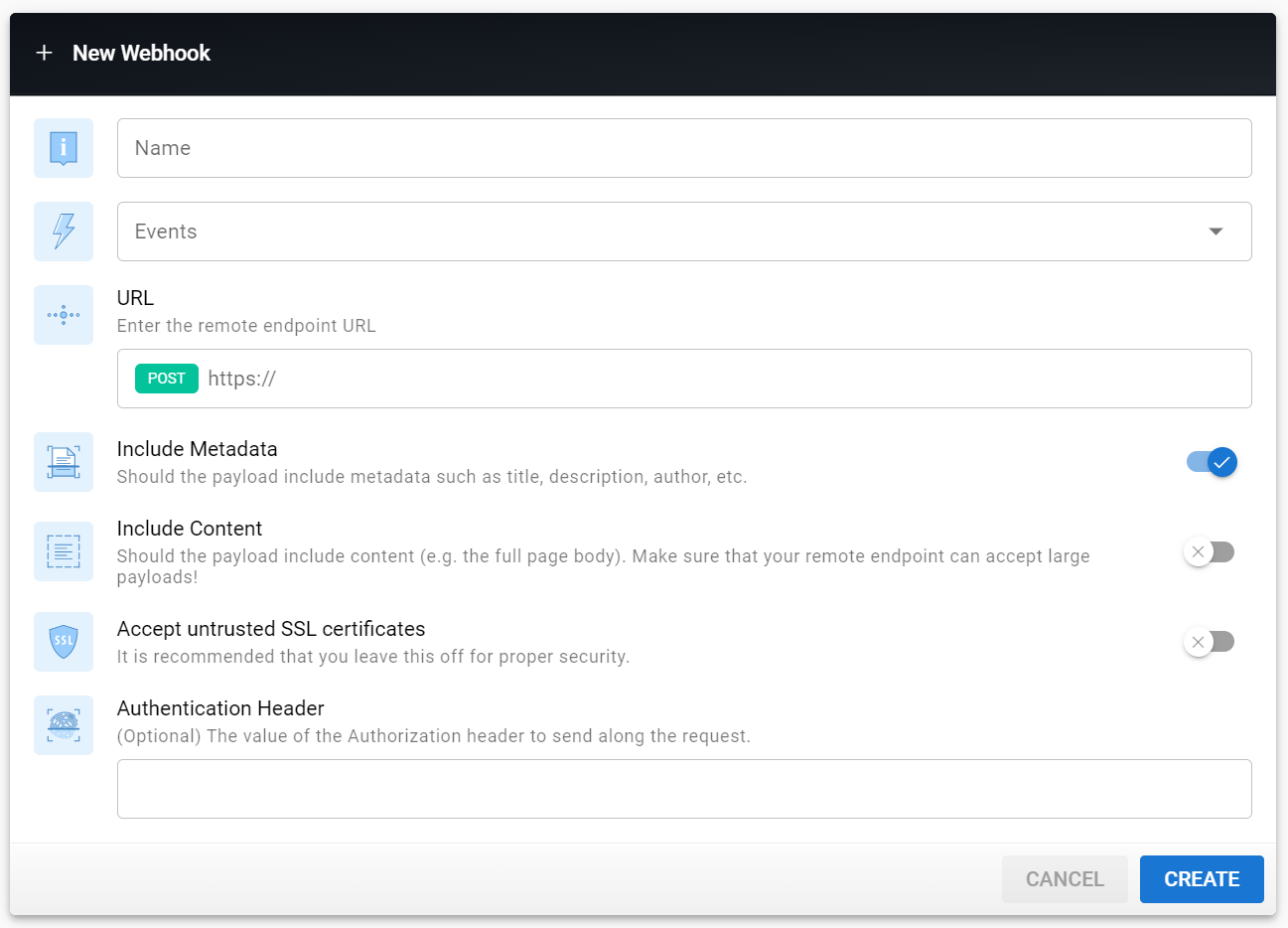
Fill-in the form and click Create.
| Parameter | Description |
|---|---|
| Name | The name of your webhook. |
| Events | Select the event(s) that should trigger this webhook. |
| URL | The remote endpoint URL that should be called upon trigger. The endpoint will be called via a POST request with a JSON body. |
| Include Metadata | Should the payload include metadata about the entity (such as title, description, author, etc.). In most scenarios, this should be enabled. |
| Include Content | Should the payload include content. For example, if the event is a page modification, the body would include the full page content and the rendered code. Depending on the page length, this can significantly increase the payload total size so make sure your endpoint is able to process large payloads! |
| Accept untrusted SSL certificates | If your endpoint is using HTTPS but with an untrusted certificate, this option can be turned on to ignore any certificate error. In most cases, this option should be turned off as it is a security risk! |
| Authentication Header | If the endpoint requires authentication, either via Basic or Bearer token, enter the value to be sent in the Authentication HTTP header. |